
Handling sensitive patient data in BigQuery
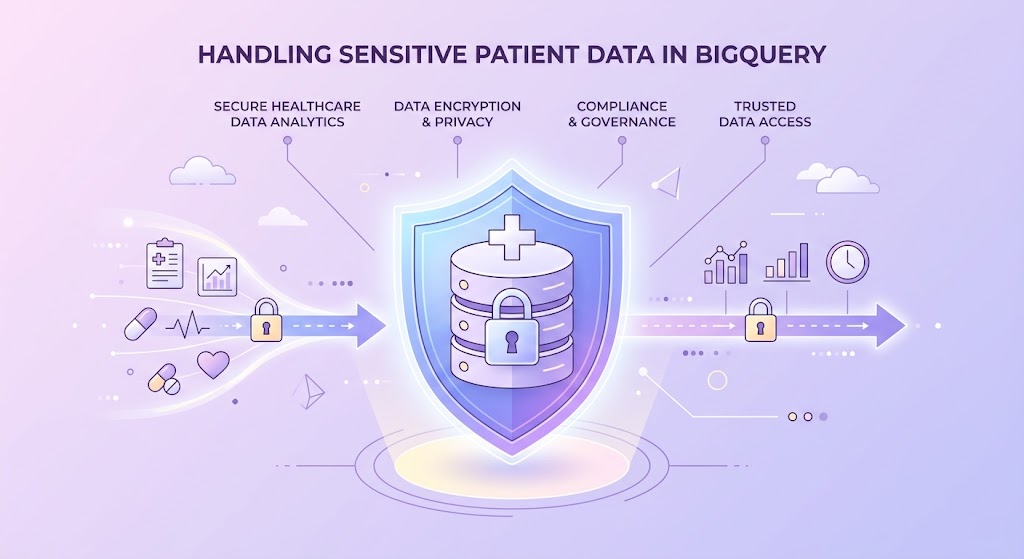
1. Introduction: The Radioactive Potato Problem
Handling Protected Health Information (PHI) like medical records, diagnoses, and Social Security Numbers is a lot like holding a radioactive potato. You need it to power your analytics engine, but if you drop it, the fallout will destroy your company.
The core problem is a conflict of interest. Data engineers and data scientists want all the data in one massive, easy-to-query table to build machine learning models and reports. Meanwhile, the Chief Information Security Officer (CISO) and government regulators (HIPAA in the US, GDPR in Europe) want to lock the data in a dark room and throw away the key.
If John Doe’s blood test results accidentally end up in a marketing dashboard, you are looking at multi-million dollar fines, a destroyed reputation, and potentially criminal charges. The challenge is: How do we make patient data usable for analytics while mathematically guaranteeing that unauthorized people cannot see it?
2. Industry Standard Solutions: How the World Solves This
Before we look at Google Cloud, let’s understand the standard patterns used across different platforms (AWS, Azure, Snowflake, and on-premise systems). The business logic usually falls into a few categories:
- The “Air-Gap” (On-Premise Classic): You physically separate the servers. Analytics happens on Server A, and patient data lives on Server B. To join them, a senior DBA runs a specific, audited script once a week. Strengths: Incredibly secure. Weaknesses: Slow, expensive, and kills modern real-time analytics.
- Dynamic Data Masking (Snowflake / SQL Server): The database engine intercepts the query. If an unauthorized user runs
SELECT phone_number, the engine dynamically replaces the real numbers withXXX-XXX-1234before returning the result. - Centralized Governance (AWS Lake Formation / Azure Purview): These platforms use a centralized “catalog.” You tag a column as “Sensitive,” and the platform automatically creates Identity and Access Management (IAM) rules across the whole cloud ecosystem to block access.
- Tokenization at the Source: Before data even reaches the data warehouse, a separate application replaces real names with random tokens (e.g., “John Doe” becomes “Token_8f7d9a”). The mapping key is kept in a highly secure, separate database.
3. The Google Cloud Approach
Google Cloud Platform (GCP) approaches security with a “BeyondCorp” zero-trust mindset. By default, BigQuery encrypts all data at rest and in transit. However, this only protects you if someone physically steals a hard drive from a Google data center. It does not protect you from an intern accidentally running SELECT * FROM patients and exporting it to a CSV.
To solve the logical security problem, GCP provides a layered ecosystem. BigQuery doesn’t just act as a standalone database; it integrates deeply with Dataplex (formerly Data Catalog) for metadata management, Cloud DLP (Sensitive Data Protection) for scanning, and Cloud KMS for cryptography.
There is no “one silver bullet.” Because every company has different risk tolerances and architectural setups, GCP offers several distinct ways to handle PHI. Let’s dissect the anatomy of each variant.
4. The Anatomy of BigQuery Solutions (Variants & Mechanics)
Here are the main ways to architect patient data security in BigQuery, from the simplest to the most paranoid.
Variant A: Authorized Views (The Old School Method)
How it works: You create two separate BigQuery datasets. Dataset 1 (The Vault) contains the raw, sensitive tables. You grant nobody access to Dataset 1 except the service account that loads the data. Then, you create Dataset 2 (Analytics). Inside Dataset 2, you write a SQL View that selects only the non-sensitive columns from The Vault, or uses SQL functions to hash the sensitive ones. You then authorize the View to read from the base table, and you give your analysts access only to Dataset 2.
- Strengths: Incredibly simple to set up. Requires no special GCP APIs. Very easy to understand for anyone who knows basic SQL.
- Weaknesses: As your company grows, you end up managing hundreds of views. If a table schema changes, views break. It becomes a maintenance nightmare known as “View Sprawl.”
Variant B: Column-Level Security via Policy Tags (The Modern Standard)
How it works: Instead of creating duplicate views, you use Dataplex to create a “Taxonomy” (a hierarchy of labels). For example, you create a tag called High-Risk-PHI. You go to your BigQuery table schema and attach this tag to the patient_name and diagnosis columns. Finally, you tell Google Cloud IAM: “Only users with the ‘Fine-Grained Reader’ role on the High-Risk-PHI tag can see this data.” If an unauthorized user runs SELECT *, BigQuery throws an “Access Denied” error for those specific columns.
- Strengths: You keep a single source of truth (one table). Security is centralized. You can apply the same tag to thousands of tables across your entire GCP organization.
- Weaknesses: It’s binary by default (you either see the data or you get an error). To get dynamic masking (seeing
XXX-XXX-1234instead of an error), you have to set up data masking rules within Dataplex, which adds architectural complexity.
Variant C: Row-Level Security (The Multitenant Approach)
How it works: Sometimes the column isn’t the problem; the row is. Imagine you have a table of patients for the entire country, but Doctor A should only see patients from Clinic A. You create a Row-Level Access Policy using SQL Data Definition Language (DDL).CREATE ROW ACCESS POLICY clinic_a_policy ON patients FILTER USING (clinic_id = 'A');
- Strengths: Perfect for multi-tenant architectures, SaaS products, or regional compliance (e.g., keeping European user rows visible only to EU staff).
- Weaknesses: Hard to debug. If a user complains “I can’t see my data,” the admin has to trace through complex row-level SQL filters to figure out why.
Variant D: Cloud DLP / Sensitive Data Protection (The “Tokenize Everything” Method)
How it works: You don’t trust BigQuery with raw PHI at all. Before the data is even inserted into BigQuery, it passes through a pipeline (like Apache Airflow or Dataflow). This pipeline calls the Google Cloud DLP API. The DLP engine uses machine learning and regular expressions to find names, SSNs, and medical codes. It dynamically replaces them with encrypted tokens. The tokenized data is then saved to BigQuery.
- Strengths: The absolute gold standard for security. Even if BigQuery is completely compromised, the attacker only gets useless tokens. It protects against internal and external threats perfectly.
- Weaknesses: Extremely complex to build. Requires maintaining a separate “De-identification template” and managing token mapping if you ever need to reverse the process (re-identify the data).
Variant E: AEAD Encryption Functions (The Cryptographer’s Choice)
How it works: BigQuery supports native Authenticated Encryption with Associated Data (AEAD). You generate a cryptographic key in Cloud KMS. When you insert data via SQL, you use a function like AEAD.ENCRYPT(). The data is stored in BigQuery as a raw, encrypted BYTES string. To read it, a user must have IAM permission to use the KMS key, and they must run AEAD.DECRYPT() in their SQL query.
- Strengths: Cryptographic certainty. Granular control down to the individual cell level.
- Weaknesses: Ruins analytical performance. You cannot run
GROUP BYorWHEREclauses effectively on encrypted binary strings. It makes writing SQL queries very ugly and slow.
5. The FinOps Perspective: Showing the Cost
When architecting data platforms, security isn’t just about risk; it’s about cloud cost optimization (FinOps).
| Variant | Infrastructure Cost Impact | Compute / Query Cost Impact |
| Authorized Views | Free. | Normal BigQuery scanning costs. No extra fees. |
| Column-Level (Tags) | Dataplex tag management is essentially free. | Normal BigQuery costs. Warning: If a user uses SELECT * and hits a blocked column, the query fails, but you still pay for the bytes scanned before the failure if not structured carefully. |
| Row-Level Security | Free to configure. | Can actually save money. Because row-level policies filter data at the storage layer, BigQuery processes fewer bytes, reducing on-demand query costs. |
| Cloud DLP (Tokenization) | Very High. DLP charges per Gigabyte processed. | Inspecting and transforming massive ETL pipelines through the DLP API can easily add thousands of dollars to your monthly bill. |
| AEAD Encryption | Low (Minor KMS key storage/operation costs). | High compute cost. Decrypting data on the fly consumes massive BigQuery slot CPU time, slowing down pipelines and requiring more compute capacity. |
6. Ease of Management and Administration
How hard is it to keep these systems running when you have 100+ engineers and thousands of tables?
If you rely on Authorized Views or AEAD Encryption, management becomes a manual nightmare. Every new table requires a new view or new complex SQL scripts.
The industry standard for high-load platforms is Column-Level Security (Policy Tags). Why? Because it operates as Infrastructure-as-Code (IaC). You can define your data taxonomy in Terraform. When a new dataset is deployed, Terraform automatically applies the “PHI” tags, and IAM groups automatically inherit the correct permissions. You manage security through Git pull requests, not by clicking around the GCP Console.
7. Strong Conclusions and Recommendations
If you are designing a modern, scalable cloud data platform that touches healthcare data, here is the architectural verdict:
- Do not rely on Authorized Views unless you are a tiny startup with only a handful of tables. The technical debt will crush your data engineering team within a year.
- Avoid AEAD Encryption for standard analytics. It is a niche tool for highly specific regulatory requirements. It destroys the fast, analytical power that you are paying BigQuery for.
- The Recommended Architecture: Use a hybrid approach.
- Use Column-Level Policy Tags via Dataplex for 90% of your PHI (names, emails, basic medical history). Pair this with Dynamic Data Masking so analysts see
user_***@gmail.cominstead of getting blocked entirely. This keeps analysts productive while maintaining compliance. - Use Row-Level Security for multi-tenant isolation if you serve multiple hospitals or clinics.
- Use Cloud DLP (Tokenization) only for the most hyper-sensitive 10% of data (e.g., SSNs, exact biometric markers) before it lands in BigQuery, mitigating the high API costs by only scanning a small subset of incoming data.
- Use Column-Level Policy Tags via Dataplex for 90% of your PHI (names, emails, basic medical history). Pair this with Dynamic Data Masking so analysts see
8. Bonus Section: The Architect’s Practical Playbook
Let’s step out of the theory and look at how to actually build this in a modern data stack. If you are using tools like dbt (data build tool), Apache Airflow, and Terraform to manage your ELT pipelines, applying BigQuery security becomes incredibly elegant.
The dbt + Policy Tag Pattern: Instead of manually tagging tables in the UI, you can define your column-level security directly inside your dbt YAML configuration files.