
40% of Your Purchases Are Orphans: Rebuilding Analytics After Consent Mode
European marketing teams are currently flying blind. If you look at your BigQuery dashboard today, you will likely see a disaster: 30% to 40% of all purchases have no traffic source. They are “orphans.”
Standard reports are useless. You do not know which campaign brought the user, so you do not know where to invest your ad budget tomorrow.
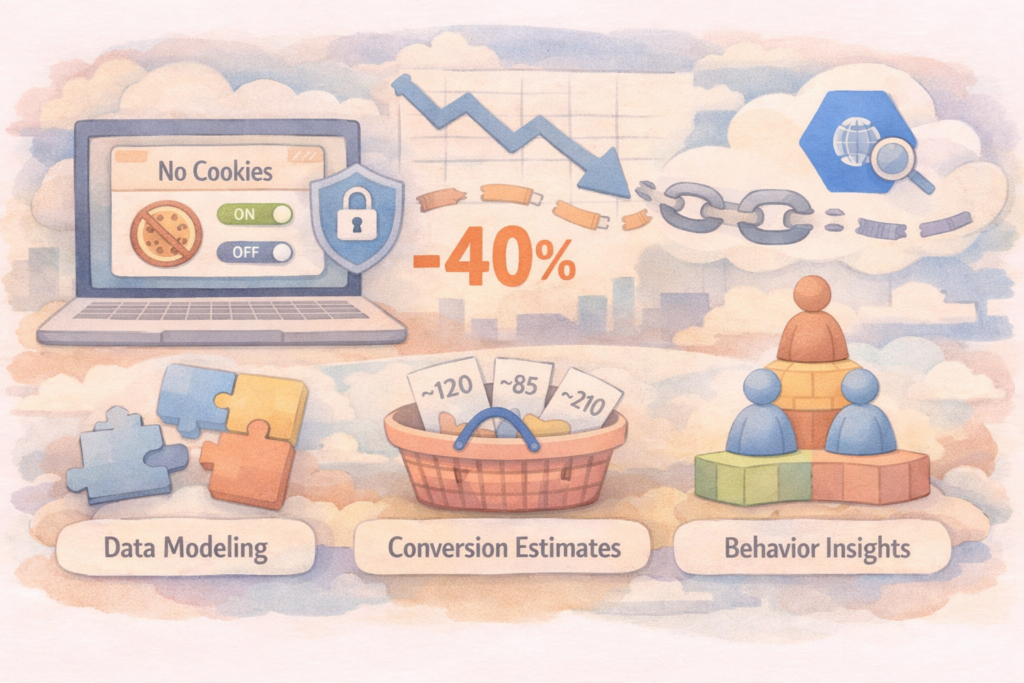
Let’s look at a real situation. Imagine a backend tracking system for an e-commerce project. Suddenly, the number of daily unattributed e-commerce events spikes from 2,500 to 5,000. In your data warehouse, the session parameters for these purchases do not even show the standard (not set). They just log as not_add or null. Your end-to-end analytics pipeline is broken.
To fix this problem, we first need to understand the root causes. There are three main reasons why your data funnel is falling apart.
The Three Killers of Data
| Threat | How it Works | Impact on Analytics |
| Consent Mode v2 | Users click “Decline” on the cookie banner. | GTM drops the client_id. Every page view looks like a new, separate user. |
| ITP / ETP | Safari and Firefox restrict cookie life to 24 hours or 7 days. | If a user clicks an ad on Monday and buys on Wednesday, the connection is lost. |
| Ad Blockers | Firewalls block standard tracking domains (e.g., google-analytics.com). | The event never reaches the server. BigQuery records a purchase, but no session data. |
The Illusion of Standard Analytics
In the past, we relied on the browser to store a long-term ID. If a user clicked a Facebook ad, the browser saved a cookie for 30 days. When the user finally made a purchase, the browser sent that cookie back. The analytics platform easily connected the “click” and the “purchase.”
Today, the browser is hostile to data collection.
If a user uses an iPhone (Safari) and declines cookies, the chain breaks immediately. The marketing platform records a click and spends money. The backend database records a purchase and gets money. But in the middle, there is a black box.
You cannot solve this problem by tweaking settings in the Google Analytics interface. The solution requires a hard shift to data engineering. We must move the logic from the user’s browser (Client-Side) to your own servers (Server-Side) using Google Cloud Platform (GCP) and build our own identity matching in BigQuery.
Part 2: The First-Party Shift: Server-Side Tracking on GCP
To stop ad blockers and browsers from destroying your data, you must change how you collect it. The traditional method is Client-Side tracking. The browser sends data directly to Google or Facebook. Ad blockers see the google-analytics.com domain and kill the request.
The solution is Server-Side Tracking (SST). Instead of sending data to third parties, the browser sends data to your own server. Because your server uses your own domain (for example, data.yourwebsite.eu), ad blockers do not see it as a threat. Safari and Firefox treat it as a First-Party request. This helps to keep your tracking cookies alive much longer.
The GCP Architecture
To build a reliable Server-Side system, we use Google Cloud Platform (GCP). The architecture is straightforward but handles high loads perfectly. Here is the standard data flow:
- Custom Subdomain: You create a First-Party subdomain (like
metrics.yourstore.eu). - Cloud Load Balancer: This component receives the incoming traffic from the user’s browser, handles SSL certificates, and routes the data securely.
- Cloud Run: This is the core. It runs your Server Google Tag Manager (sGTM) container. Cloud Run scales automatically. If you have a big marketing sale, it adds more resources instantly.
- BigQuery: The sGTM container cleans the data, removes sensitive information, and sends a structured payload directly to your BigQuery data warehouse.
Why Cloud Run and Not App Engine?
In the past, Google recommended App Engine for sGTM. However, for modern data engineering and cost control, Cloud Run is the better choice today.
| Feature | App Engine (Standard) | Cloud Run |
| Scaling | Slower cold starts during traffic spikes. | Fast, container-based scaling. |
| Cost | Can be expensive and unpredictable with high traffic. | Pay strictly per request and CPU time. |
| Testing | Harder to test locally before deployment. | Easy to test locally using standard Docker. |
Trade-offs and Real Costs
Server-Side Tracking is not a magic solution. It is a serious IT infrastructure that brings new rules.
The Strengths:
- Ad Blocker Bypass: You usually recover 10% to 20% of missing events instantly because the traffic looks like standard website requests.
- Data Security: You control what data goes to vendors. You can hash or remove personal user data before sending it to Facebook or Google.
- Faster Website: You remove heavy third-party JavaScript libraries from the user’s browser, which improves your website’s loading speed.
The Weaknesses:
- Infrastructure Costs: Client-side GTM is free. A robust Cloud Run + Load Balancer setup on GCP will cost at least €50 to €150 per month, depending on your traffic volume.
- Technical Maintenance: You are now responsible for the server. If your Cloud Run instance crashes or the Load Balancer has an error, your analytics pipeline stops working completely.
Moving to the server-side recovers a large portion of blocked traffic. But it does not solve the entire problem. If users actively click “Decline” in Consent Mode, they still drop their client_id. To fix those “orphans,” we must go deeper into BigQuery and stitch the broken sessions together using SQL.
Part 3: Identity Resolution in BigQuery: Stitching Broken Sessions
Even with a perfect Server-Side Tracking setup, you still face a critical problem. If a European user clicks “Decline” on the cookie banner, Consent Mode v2 actively blocks the standard client_id. Your GCP server receives the event, but the user is completely anonymous.
In BigQuery, the user’s journey breaks into isolated pieces. The front-end logs a marketing click. The back-end logs a successful purchase, but without a session ID, it is marked as not_add or “Direct.” To fix this, we must build an “Identity Resolution” engine. This means using SQL logic to find the missing connection between the website click and the final backend purchase.
There are two primary methods to stitch these broken sessions together: Deterministic and Probabilistic.
1. Deterministic Matching (The Gold Standard)
This is the most accurate method. You connect sessions using hard, undeniable data. When a user buys a product, they must provide a unique identifier, like an email or a phone number.
The Logic:
You capture the user’s email during the website session (for example, when they log in or type it in the first step of the checkout process). Because of strict European GDPR laws, you must never store raw emails in your web analytics tables. Instead, you hash the email using the SHA-256 algorithm on your server. You send this hashed string to BigQuery alongside the web session data.
Later, your backend server sends the final purchase data to BigQuery. This backend data also includes the same hashed email. Finally, you write a scheduled SQL query to JOIN the web session table and the backend transaction table using this unique hash.
Result: 100% accuracy. You know exactly which ad campaign brought this specific buyer, even if all cookies were blocked.
2. Probabilistic Matching (The Fallback)
What if the user never logs in? What if they browse anonymously and the cookie is lost before the checkout page? Here, we use Probabilistic Matching. We act like data detectives and use indirect clues to link the events.
The Logic (Fingerprinting and Time Windows):
We combine multiple secondary data points to create a temporary, anonymous “fingerprint.” We look at:
- The IP address (often truncated for privacy).
- The User-Agent (browser version and operating system).
- The exact cart value or specific product IDs.
- A strict time window.
Let’s analyze a real scenario. BigQuery shows an anonymous “Add to Cart” event for a specific €1,250 laptop from a Mac browser in Munich at 14:05. Three minutes later, at 14:08, your backend database logs a purchase of that exact €1,250 laptop from Munich, but the session is marked as not_add. There is a 95% to 99% probability that this is the same person. Your SQL script automatically connects these two events based on these matching parameters within a tight 10 to 15-minute window.
Comparing the Matching Strategies
| Feature | Deterministic Matching | Probabilistic Matching |
| Primary Key | Hashed Email, Phone, Login User-ID | IP + User-Agent + Timestamp + Cart Value |
| Accuracy | Near 100% | 70% to 90% (depends on traffic density) |
| Privacy / Legal | Highly compliant (if hashed properly) | Grey area (fingerprinting is heavily restricted by some EU laws) |
| Best Use Case | B2B platforms, SaaS, stores with user accounts | Fast B2C e-commerce, high-volume guest checkouts |
The Trade-offs of SQL Session Stitching
Building this logic in BigQuery requires strong data engineering skills and careful architectural planning.
The main weakness of Probabilistic Matching is high traffic density. If your store sells cheap, popular items (like €10 t-shirts) and you have thousands of active users at the same minute, probabilistic matching will fail. Hundreds of users will have the same mobile phone model, the same IP range (using mobile 4G/5G networks), and the exact same cart value. The SQL script will create false connections.
However, for medium and high-ticket e-commerce, combining both Deterministic and Probabilistic methods usually recovers 60% to 80% of your “orphaned” not_add transactions. You give your marketing team the vital data they need to optimize their budgets.
But what do we do with the remaining 20% that we absolutely cannot stitch together? We will cover the final data modeling solutions in the last part.
Part 4: Beyond the ID: Data Modeling for the Unmatched “Orphans”
Even with GCP Server-Side Tracking and complex BigQuery SQL stitching, you will never recover 100% of your data. Due to strict EU privacy laws and advanced browser protections, 15% to 20% of your transactions will remain permanent orphans. You cannot link them to a specific marketing click.
If we cannot track the individual user, we must change our analytical approach. We need to stop looking at individual clicks and start looking at large-scale trends. Here are two advanced methods to manage the remaining blind spots.
1. Marketing Mix Modeling (MMM)
When individual user paths (client_id) are missing, we use statistics. Marketing Mix Modeling (MMM) is a probabilistic method that does not need personal data or cookies. Google provides an open-source tool for this called LightweightMMM, which you can run directly inside your GCP environment using Python and BigQuery data.
How it works (A Synthetic Case):
You do not track users. Instead, you track money and time. You put three data sets into your model:
- Your daily ad spend on Facebook (€1,000).
- Your daily ad spend on Google Search (€500).
- Your total daily sales from your backend system (€5,000).
The model looks at months of history. It notices a pattern: every time you increase the Facebook budget by 20%, total sales increase by 8% three days later, even if the analytics dashboard shows zero attributed conversions. The model mathematically proves the value of the campaign without needing a single cookie.
The Trade-offs of MMM:
- Strength: 100% immune to Consent Mode, ad blockers, and iOS updates. It measures the real business impact, not just clicks.
- Weakness: It requires a lot of historical data (at least 6 to 12 months) to be accurate. It is not useful for fast, daily campaign adjustments.
2. The Shift to First-Party Cohorts and LTV
The old marketing goal was simple: optimize the Cost Per Acquisition (CPA) for every single purchase. In a cookie-less world, this is impossible. The new strategy focuses on First-Party Data and Lifetime Value (LTV).
Instead of trying to track every guest checkout, you focus heavily on registered users. You build cohorts in BigQuery based on the month they registered.
| Cohort (Registration Month) | Total Users | Ad Spend to Acquire | Total Revenue (Month 1) | Total Revenue (Month 3) | LTV Trend |
| January | 5,000 | €10,000 | €8,000 | €15,000 | Profitable |
| February | 4,200 | €10,000 | €6,000 | €9,500 | Unprofitable |
The Logic:
You might not know which specific Google Ad brought a specific user in January. But you know that your total marketing mix in January brought 5,000 users who eventually generated €15,000 over three months. You evaluate the success of your marketing based on the long-term profitability of the cohort, not the immediate tracking of a single not_add transaction.
Conclusion: The New Era of Data Engineering
The era of easy plug-and-play analytics is over. You can no longer rely on Google Analytics to magically solve your attribution problems. The new reality requires a solid engineering foundation:
- Collect your own data: Move to GCP Server-Side Tracking to bypass ad blockers.
- Stitch what you can: Use Deterministic and Probabilistic SQL logic in BigQuery to recover broken sessions.
- Model the rest: Use statistical models like MMM to understand the impact of the remaining invisible traffic.
Marketing teams can no longer fly blind. By taking control of the data infrastructure, data engineers can rebuild the funnel and turn the not_add epidemic into a strategic advantage.
Part 5: Production Architecture: Orchestration, Monitoring, and the Hidden Costs
Writing the SQL logic for Identity Resolution is only 20% of the job. The other 80% is automating the pipeline and managing the infrastructure. If you leave a junior analyst to schedule a heavy Probabilistic Matching query directly in the BigQuery UI, you are asking for a financial disaster.
When you match anonymous events with millions of website clicks, your database performs massive cross-joins and window functions. This requires serious computing power.
The BigQuery Cost Trap
A mature engineering team does not just execute SQL; they monitor its financial impact. To run this at scale, you must deploy a monitoring script and an automated dashboard to track the daily data processing volume in gigabytes. Crucially, this setup must calculate the exact costs per user and per table.
If your session-stitching algorithm suddenly scans 5 terabytes of data because someone forgot to add a PARTITION BY date filter, your dashboard will immediately show which table and which service account caused the cost spike. Solving the not_add attribution problem should not cost more than the marketing budget you are trying to save.
Orchestrating the Pipeline (GCP Tools)
To run this pipeline daily, you need a robust orchestration tool. Here is how standard GCP solutions compare for this specific task:
| Tool | Complexity | Best Use Case | Pros & Cons |
| BigQuery Scheduled Queries | Low | Simple, single-step deterministic matching. | Pro: Free and built-in. Con: No dependency management. Fails silently. |
| Dataform (GCP Native) | Medium | Multi-step SQL data modeling and testing. | Pro: Native to GCP, uses standard SQL, built-in data quality tests. Con: Requires understanding of basic version control (Git). |
| Cloud Composer (Airflow) | High | Enterprise pipelines connecting APIs, CRM, and BigQuery. | Pro: Ultimate control, Python-based. Con: High base cost (~$300/month minimum), overkill for pure SQL tasks. |
The Recommendation: For most modern data stacks, Dataform is the optimal choice. It allows you to run “Assertions” (Data Quality tests). For example, you can write a test that stops the pipeline and sends an alert to Slack if the daily “Orphan Ratio” goes above 40%.
Part 6: Real-World Case Studies
Let’s look at how these architectures perform in real business environments. The strategy changes completely depending on the business model.
Case Study 1: The Fast-Fashion E-commerce (High Volume, Low Margin)
The Scenario: A clothing brand in Germany processes 3,000 orders per day. The average order value is €45. After implementing Consent Mode v2, 45% of backend purchases showed up as not_add.
The Execution:
- Deterministic: Failed. 80% of users chose “Guest Checkout” to buy quickly. They did not log in, so there was no User-ID to hash and match.
- Probabilistic: The team built a fingerprinting model (Time + Cart Value + Truncated IP).
- The Result: The model created too many false positives. At 19:00, there were often 50 different users buying the same €45 jacket from the same mobile carrier network (same IP range). The SQL script connected the wrong clicks to the wrong purchases.
The Final Solution: The data engineering team abandoned complex SQL stitching. They moved entirely to Marketing Mix Modeling (MMM). They exported daily aggregated data (total spend, total clicks, total sales) into a Python environment on GCP. The statistical model successfully proved the ROI of their TikTok campaigns without needing to track a single individual user.
Case Study 2: B2B SaaS and High-Ticket Consulting (Low Volume, High Margin)
The Scenario: A European tech consulting firm sells R&D engineering audits. They only get 5 to 10 conversions per week, but each contract is worth €15,000+. The sales cycle takes 3 months. ITP (Intelligent Tracking Prevention) in Safari was deleting the Google Ads cookie long before the client finally signed the contract.
The Execution:
- Infrastructure: The team set up a strict Server-Side GTM on Cloud Run to bypass ad blockers, as B2B clients often use strict corporate firewalls.
- Deterministic Matching: Because downloading the initial whitepaper or booking a consultation required an email address, the team captured the email, hashed it (SHA-256), and sent it to BigQuery.
- The CRM Integration: Three months later, when the sales team marked the deal as “Closed Won” in Salesforce, a webhook sent the final transaction data to BigQuery, along with the same hashed email.
The Result: The Dataform SQL script joined the website click from January with the CRM transaction in April using the exact hash. The company recovered 90% of their “orphaned” conversions. They knew exactly which LinkedIn and Google Search ads generated real revenue, not just empty clicks.
Final Summary
The “blind marketing” era is a filter. Companies that rely on default Google Analytics settings will lose their efficiency and waste their budgets. Companies that treat marketing tracking as a pure Data Engineering task—utilizing Server-Side tracking, SQL identity resolution, strict cost monitoring, and statistical modeling on GCP—will dominate the market because they will be the only ones who actually know what is working.