
Oracle E-Business Suite to Google BigQuery Migration: A Complete Technical Guide
1. Introduction: From Monolith to Analytics
Migrating from Oracle E-Business Suite (EBS) to Google BigQuery is not a “lift and shift” of an application; it is the decoupling of the analytical layer from an OLTP (Online Transactional Processing) system. Oracle EBS is designed for record-level processing and transaction integrity. BigQuery is a serverless, highly scalable OLAP (Online Analytical Processing) data warehouse designed for massive scans and complex aggregations.
The objective is to move data from a rigid, schema-heavy Oracle environment into a flexible, columnar storage format in BigQuery. This transition requires moving from traditional ETL (Extract, Transform, Load) to an ELT (Extract, Load, Transform) approach, allowing BigQuery to handle the compute heavy-lifting.
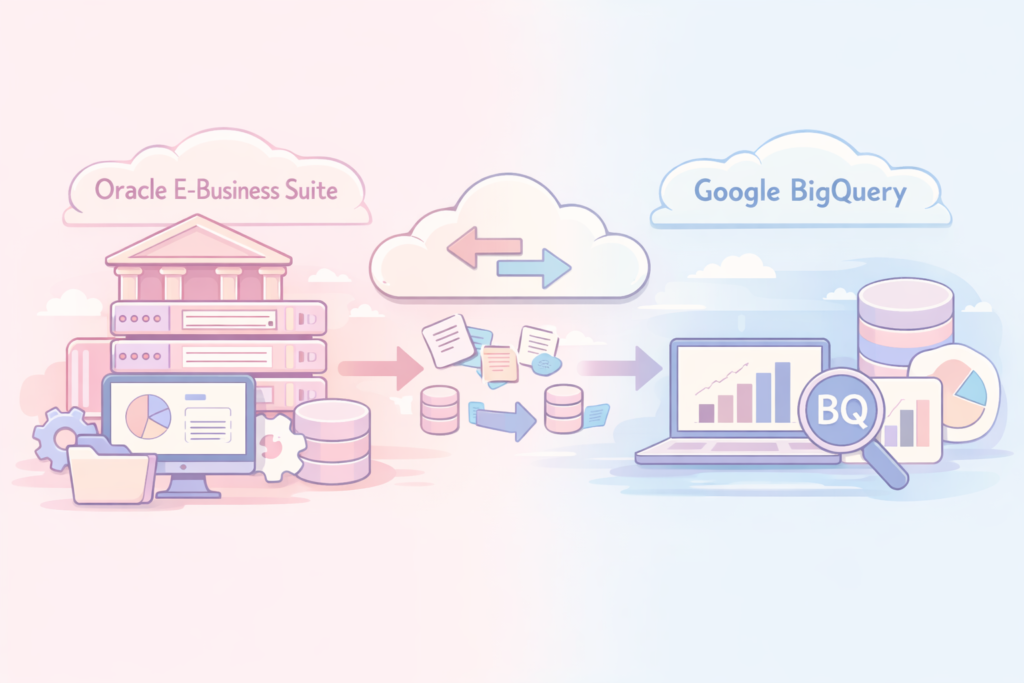
2. Migration Architecture Overview
The architecture must prioritize data consistency and minimal latency for analytical workloads. A robust migration relies on Change Data Capture (CDC) to keep the data warehouse in sync with the live production environment without overloading the Oracle database.
The Standard Pipeline Architecture:
- Source: Oracle EBS (Production Database).
- Ingestion: Google Cloud Datastream (for CDC) or Debezium (Kafka-based) for real-time replication.
- Intermediate Storage: Google Cloud Storage (GCS) as a landing zone.
- Transformation Layer: Dataform or dbt (data build tool) for modeling data into star schemas.
- Destination: BigQuery (Data Warehouse).
| Component | Technology | Role |
| Source | Oracle EBS | Operational source of truth |
| Ingestion | Datastream | Low-latency, serverless CDC |
| Landing | Cloud Storage (GCS) | Raw data buffering (Avro/Parquet) |
| Compute | BigQuery | Analytical processing |
| Modeling | Dataform/dbt | SQL-based transformation and governance |
3. Common Technical Challenges and Mitigation
Migrating Oracle databases to BigQuery introduces specific friction points. Oracle and BigQuery handle memory, types, and concurrency differently. Below is a breakdown of the most critical challenges.
Critical Migration Issues Matrix
| Issue | Root Cause | Engineering Solution |
| Large Objects (LOB) | CLOB/BLOB types in Oracle do not map directly to BQ standard types. | Extract LOBs to GCS; store the URI in BigQuery, or truncate/cast to STRING/BYTES if size permits. |
| Schema Drift | DDL changes in Oracle break downstream pipelines. | Implement schema evolution in the ingestion layer; use dbt to force contracts on models. |
| Date/Time Mismatch | Oracle DATE includes time; differences in timezone handling. | Standardize all timestamps to UTC during ingestion. Use DATETIME or TIMESTAMP in BigQuery explicitly. |
| Indexes | Oracle relies on indexes for query performance. | Do not replicate indexes. Design BigQuery partitioning (by time) and clustering (by ID/Category). |
| Concurrency | Oracle handles thousands of short queries. | Shift to batch processing. Use BQ materialized views for frequently accessed aggregates. |
LOB Handling Deep Dive
Oracle EBS often stores document text, images, or configuration payloads in CLOB/BLOB columns. BigQuery has a row size limit (100MB per row).
- The Problem: Trying to load multi-megabyte blobs into a column causes row limit errors and exponentially increases storage/query costs.
- The Fix:
- Extract-Only: Use an extraction tool to write these binary/text files directly to GCS buckets.
- Pointer Strategy: Create a metadata table in BigQuery containing
ID,FILE_PATH, andFILE_SIZE. - Access: When a user needs the object, the application layer fetches the file from GCS using the URI stored in BigQuery.
Schema Transformation Strategy
Oracle often utilizes complex hierarchical structures. BigQuery thrives on flattened, denormalized tables.
- Raw Layer (Bronze): Mirror Oracle tables exactly as they appear. Preserve all columns.
- Staging Layer (Silver): Clean data, apply consistent data types, handle NULLs, and perform basic deduplication.
- Mart Layer (Gold): Flatten complex joins into Fact and Dimension tables. Use
dbtto manage these dependencies.
Part 2: Tooling, Economics, and Timeline
4. Engineering Toolkit for Reliable Migration
A migration is only as reliable as the validation layer. Do not rely on “copy-paste” logic. You need an automated orchestration and validation framework.
Recommended Stack
| Tool | Role | Why this choice |
| GCP Datastream | CDC & Ingestion | Serverless. Handles Oracle Redo logs. Low overhead on source production DB. |
| Dataflow | In-stream Transformation | Handles complex logic, windowing, and data enrichment before landing in BQ. |
| Dataform | Orchestration & Modeling | Manages SQL pipelines (dbt alternative managed by GCP). Supports version control (Git). |
| Great Expectations | Data Quality | Validates schema, null counts, and data distributions against the source. |
| Cloud Composer (Airflow) | Task Orchestration | Triggers all components in sequence; manages retries and dependencies. |
Data Validation Workflow
The most common failure mode is “silent data corruption” (e.g., character encoding issues where é becomes ?). Use an automated checksum process:
- Row Count Check: Count rows in Oracle
COUNT(*)vs BQCOUNT(*). If mismatch > 0, trigger alert. - Null Check: Ensure critical columns (Primary Keys, Transaction IDs) have 0% NULL rate in the destination if they are NOT NULL in Oracle.
- Aggregated Check: Run
SUM(amount)on critical financial tables in both systems. Differences must be within a defined epsilon.
5. Economic Model: Cost Estimation (5TB Baseline)
Estimating costs for an Oracle-to-BigQuery migration requires separating One-Time Migration Costs (the move) from Running Costs (Post-migration).
Assumption: 5TB of compressed Oracle data, 24/7 CDC replication, 10 concurrent analytical users.
Monthly Operational Cost Breakdown (USD Estimate)
| Component | Usage Unit | Estimated Monthly Cost | Notes |
| Datastream | 5TB Data Ingestion | ~$600 – $1,000 | Variable based on update frequency. |
| BQ Storage | 5TB Active | ~$100 | Assuming long-term storage after 90 days. |
| BQ Compute | 100TB Scanned/mo | ~$600 | On-demand pricing ($6.25/TB). |
| GCS Staging | 5TB | ~$100 | Standard regional storage. |
| Network Egress | 1TB External | ~$80 | Data moving out of source location to GCP. |
| Total | ~$1,480 – $1,880 | Excludes developer time/cloud architect hours. |
Note: If your workload involves complex joins on large datasets (BigQuery slots), switch from On-Demand pricing to Edition-based pricing (Standard/Enterprise) to lock in compute costs.
6. Project Timeline and Phasing
Migration is not a linear event; it is an iterative process. Avoid “Big Bang” migrations.
Project Phasing Table
| Phase | Duration | Key Deliverables | Risk Level |
| 1. Discovery & PoC | 2–3 weeks | Source profiling, schema mapping, small subset migration. | Low |
| 2. Pipeline Setup | 4–6 weeks | Infrastructure as Code (Terraform), CDC configuration. | Medium |
| 3. Parallel Run | 4–8 weeks | Dual-write or Sync; Oracle and BQ run concurrently. | High |
| 4. Validation | 2 weeks | Automated checksum tests, business user sign-off. | Low |
| 5. Cutover | 1 weekend | Final sync, switch reporting tools to BQ. | Critical |
Critical Success Factors for Timeline:
- Schema Normalization: Do not try to replicate Oracle’s 500+ column tables exactly if they aren’t used. Focus only on the required fields for the BI layer.
- Infrastructure as Code (IaC): Use Terraform for all GCP resource deployment. Manual configuration in the GCP Console is the leading cause of “environment drift” and migration failure.
- Network Latency: Ensure you have a Cloud Interconnect if your Oracle instance is on-premise. Relying on public internet for a 5TB transfer will result in replication lag and potential data loss.
Part 3: Step-by-Step Implementation and Strategic Recommendations
7. Practical Implementation Guide: Step-by-Step
A production-grade migration requires an infrastructure-as-code (IaC) approach. Do not configure resources manually. Use Terraform to ensure consistency across environments (Dev/Staging/Prod).
Step 1: Connectivity & Networking
Ensure the Oracle source can talk to GCP. If the Oracle DB is on-premise, use Cloud Interconnect or VPN. If on Oracle Cloud, use a VPC peering connection.
- Key Requirement: Oracle must have
SUPPLEMENTAL LOGGINGenabled for Datastream to track CDC events. - Permissions: Create a dedicated read-only service account in Oracle with
SELECTandFLASHBACKpermissions.
Step 2: Datastream Deployment (Terraform Snippet)
This snippet defines the connection profile. Use this as a template to avoid console errors.
Terraform
resource "google_datastream_connection_profile" "oracle_source" {
  display_name          = "Oracle_EBS_Production"
  location              = "europe-central2"
  connection_profile_id = "oracle-ebs-prod"

  oracle_profile {
    hostname = "oracle-host.internal.network"
    port     = 1521
    username = "datastream_user"
    password = var.oracle_password
    database_service = "EBSDB"
  }
}
Step 3: Transformation (Dataform Example)
Oracle EBS often uses complex tables with narrow, deep schemas (many columns). Use Dataform to flatten these into an analytical star schema (Facts & Dimensions).
Example: Flattening an Oracle AP_INVOICES_ALL table.
SQL
-- models/gold/fct_invoices.sql
config {
  type: "table",
  bigquery: {
    partitionBy: "invoice_date",
    clusterBy: ["vendor_id"]
  }
}

SELECT
  INVOICE_ID AS invoice_key,
  VENDOR_ID AS vendor_key,
  DATE(INVOICE_DATE) AS invoice_date,
  CAST(INVOICE_AMOUNT AS NUMERIC) AS total_amount,
  SAFE_CAST(INVOICE_CURRENCY_CODE AS STRING) AS currency
FROM
  ${ref("stg_oracle_ap_invoices")}
WHERE
  INVOICE_STATUS = 'APPROVED'
Step 4: Validation Logic
Never trust the pipeline blindly. Implement a reconciliation query to run nightly.
| Validation Type | Query Logic |
| Integrity | SELECT COUNT(*) FROM source_table vs SELECT COUNT(*) FROM bq_table |
| Financial | SELECT SUM(amount) FROM source_table vs SELECT SUM(amount) FROM bq_table |
| Freshness | CURRENT_TIMESTAMP() - MAX(last_update_ts) (Alert if > 15 mins) |
8. Strategic Conclusions and Recommendations
Governance: “Data Contracts”
The biggest failure point is not technical, but organizational: Schema Drift.
- The Trap: An DBA changes an Oracle column definition (e.g.,
VARCHAR2(50)toVARCHAR2(100)), and the downstream BigQuery load job fails. - The Solution: Implement a “Data Contract.” Use a CI/CD pipeline (GitHub Actions/GitLab CI) that runs
dbt compileordataform run --dry-runagainst the PR. If the schema breaks, the build must fail before deployment.
Best Practices Checklist
- *Stop Using “Select “: Always define column lists. Oracle’s
*often includes legacy system columns that are irrelevant for analytics. - Partitioning Strategy:
- Partition by
DATE(Transaction Date) whenever possible. - Do not partition by high-cardinality columns (e.g.,
Invoice_ID). Use Clustering for those (up to 4 columns).
- Partition by
- Cost Optimization:
- Use BigQuery Slots (Edition-based) if you have predictable, recurring loads.
- Use On-Demand only for ad-hoc exploration.
- Security:
- Encrypt data at rest and in transit.
- Use Column-Level Security in BigQuery to mask sensitive Oracle data (e.g., PII, employee names, bank account numbers).
Final Recommendation
The migration to BigQuery is not just a transfer of tables; it is a shift from Record-Oriented (Oracle) to Column-Oriented (BQ) thinking.
- Avoid: Replicating Oracle’s complex view hierarchies in BigQuery. They will be slow and expensive.
- Adopt: Flattening data at the storage level. BigQuery performs best when it reads wide, flat tables rather than joining 15 small Oracle views at query time.
Summary Table: Migration Failure Modes
| Risk Factor | Impact | Mitigation Strategy |
| Schema Drift | Broken Pipelines | Automated CI/CD contract tests. |
| Cost Spikes | Budget Overrun | Set BQ project-level query limits/alerts. |
| Data Inconsistency | Trust Loss | Implement mandatory daily sum-checks. |
| Network Latency | Replication Lag | Use Dedicated Interconnect. |
Advanced Architectural Considerations: The “Hidden” Layers of EBS Migration
Even with a perfect ETL pipeline, many migrations fail due to Oracle-specific nuances that are not captured in standard documentation. Addressing these “hidden” layers before the cutover is essential for data integrity and system maintainability.
1. The Flexfields Problem (EBS-Specific)
Oracle EBS frequently uses Descriptive Flexfields (DFF) and Key Flexfields (KFF) for custom data, storing them in pivot-like, non-descriptive columns (e.g., ATTRIBUTE1, ATTRIBUTE2). Standard ingestion will result in useless analytical data.
The Engineering Fix:
- DFFs: Map these via a metadata configuration table. Do not expose raw
ATTRIBUTEcolumns to end-users. Create a view that joins raw data with the mapping table to provide meaningful column names (e.g.,COST_CENTER,PROJECT_ID). - KFFs: Perform “Concatenation Joins” during the ELT transformation phase to flatten segmented accounting keys into single, query-ready strings (e.g.,
100.200.300).
2. The PL/SQL Logic Trap
Oracle EBS relies heavily on server-side PL/SQL for integrity and business logic. A common, fatal mistake is attempting to translate or migrate these stored procedures directly into BigQuery.
The Engineering Fix:
- Decouple: Do not translate PL/SQL into BQ SQL.
- Shift Left: Migrate the logic to the Transformation layer (using tools like
dbtorDataform). - Version Control: By moving business logic into Git-managed SQL scripts, you gain auditability, modularity, and easier debugging—advantages that legacy PL/SQL code cannot offer.
3. Optimization Cheat Sheet: Oracle vs. BigQuery Thinking
| Feature | Oracle Approach (Legacy) | BigQuery Approach (Analytical) |
| Filtering | Rely on Indexes | Use Partitioning (Date) & Clustering (ID/Category) |
| Aggregations | Expensive standard joins | Use Materialized Views for frequent compute |
| Cost Control | Tablespace Management | Long-term storage (90+ days) & Query limits |
| Precision | Exact counts | APPROX_COUNT_DISTINCT for large scans |
| Schema | Complex Views | Flattened Denormalized Tables |
Final Note: The success of your migration depends on your ability to unlearn Oracle-specific habits (like over-indexing and complex view hierarchies) and adopt a columnar, scalable mindset suited for BigQuery.