
Google Cloud CI/CD: The Complete Guide to Pipeline Architecture and Best Practices
Let’s start by stripping away the marketing illusions. Continuous Integration and Continuous Deployment (CI/CD) is not magic, and it is not just a trendy buzzword. At its core, CI/CD is a strict, automated assembly line for your infrastructure and applications.
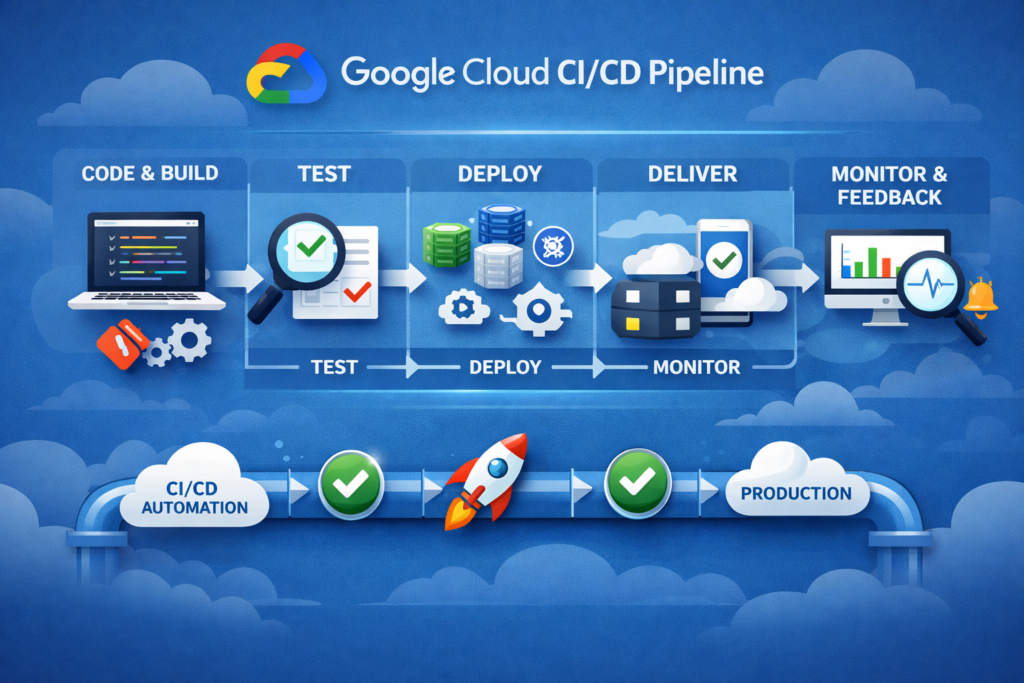
If your deployment process relies on a senior engineer manually running commands from their local laptop, you do not have a reliable system; you have a single point of failure. A true CI/CD pipeline eliminates human emotion, fatigue, and typos from the deployment process. It ensures that whether you are releasing a minor update or routing massive data processing workloads, the execution is predictable, secure, and easily reversible.
This guide is designed for architects and engineers who want to understand the fundamental mechanics of CI/CD on Google Cloud Platform (GCP). We will explore the entire chain, analyze the logic behind the tools, and expose the architectural traps that cause systems to fail at scale.
1. The Anatomy of a Modern Pipeline
A robust CI/CD pipeline must be divided into strictly isolated stages. Mixing these stages is the most common architectural mistake, leading to pipelines that are impossible to debug or secure. On Google Cloud, the ideal pipeline flows through four distinct phases:
Phase 1: The Source of Truth (Version Control)
Everything begins with a Git repository (like GitHub, GitLab, or Bitbucket). The golden rule of CI/CD is that the repository is the absolute source of truth. If a configuration or a change is not in the repository, it does not exist.
When an engineer pushes a change to a specific branch, the repository sends an automated signal (a webhook) to Google Cloud. This signal acts as a trigger, waking up the automated factory. The pipeline must trust the repository completely, which is why branch protection rules (requiring peer reviews before code can be merged) are critical.
Phase 2: Continuous Integration (The Testing Factory)
Once the signal is received, Google Cloud Build takes over. This is your temporary, automated factory. Its only job is to prove that the new changes are safe.
Instead of running on a permanent server, Cloud Build spins up isolated, temporary environments. Within this environment, it runs automated tests, checks the architecture for logical errors, and packages the final solution into a standardized format—usually a Docker container image.
The logic here is binary: if a single test fails, the assembly line stops immediately. The broken update is destroyed, and the system sends an alert. Bad code simply cannot move forward.
Phase 3: The Vault (Artifact Storage)
If the testing factory approves the update, the resulting package (the artifact) must be saved securely. It is pushed to Artifact Registry.
Artifact Registry is not just a storage drive; it is a highly secure vault. It stores your container images and actively scans them for hidden vulnerabilities. The architectural requirement here is immutability. Once an artifact is saved in the vault, it can never be altered. If you need to make a change, you must go back to Phase 1 and build a completely new version.
Phase 4: Continuous Deployment (The Delivery Controller)
This is where many teams fail. They use their testing factory (Cloud Build) to directly push updates to live servers. This is a massive risk.
Continuous Deployment must be handled by a dedicated traffic controller, such as Google Cloud Deploy. The deployment tool takes the approved, immutable artifact from the vault and carefully introduces it to the target environment (like Cloud Run or a Kubernetes cluster).
A proper deployment tool does not just overwrite the old system. It allows for advanced rollout strategies, such as routing only 10% of user traffic to the new version to verify stability before a full release. If something goes wrong, the deployment tool can instantly route traffic back to the previous, stable version without requiring a new build.
Why Build This Inside GCP?
A common question arises: why use Google’s native tools instead of external platforms?
The definitive answer is Identity and Access Management (IAM). When you rely on external tools, you are forced to generate powerful, long-lasting service account keys and store them outside your cloud environment. If that external tool is compromised, your entire cloud infrastructure is at risk.
By building the pipeline natively within GCP, all components communicate using internal, strictly scoped IAM roles. Cloud Build and Cloud Deploy authenticate automatically without exposing sensitive keys to the outside world, creating a fundamentally secure architecture by default.
2. Deconstructing the Tools: Cloud Build and Artifact Registry
When you look at the marketing materials, every CI/CD tool promises infinite scalability and zero friction. But as engineers, we know that every architectural decision involves trade-offs. To build a resilient pipeline, you must understand how Google Cloud Build and Artifact Registry actually function under the hood, where their bottlenecks lie, and how to prevent them from becoming expensive liabilities.
Google Cloud Build: The Ephemeral Factory
At its core, Google Cloud Build is a serverless execution engine. When a webhook triggers a build, GCP does not use a warm, pre-configured server waiting for your code. Instead, it provisions a brand-new, isolated Virtual Machine (VM), mounts your repository, executes your predefined steps, and then ruthlessly destroys the VM.
The Architectural Trade-off: The primary advantage here is zero maintenance. You never have to patch a build server, manage worker nodes, or worry about disk space filling up over time. The environment is perfectly clean for every run. However, the cost of this extreme isolation is execution latency.
Standard Problems and Real Solutions:
- Problem 1: The Cold Start Penalty Because the VM is created from scratch every single time, it is completely empty. If your build requires downloading 500 megabytes of libraries and a heavy base container image, Cloud Build will download them over the internet every single run. A process that takes 30 seconds on your local laptop (which has a warm cache) might take 5 to 10 minutes in Cloud Build.
- The Solution: You must explicitly engineer caching into your pipeline. If you are packaging containers, use Google’s Kaniko cache integration. Kaniko caches intermediate image layers in a cloud storage bucket. Furthermore, do not rely on standard base images for complex builds. Instead, create a custom “builder image” that already contains your necessary compilers and dependencies, store it in your registry, and use it as the foundation for your CI steps.
- Problem 2: Silent Timeout Failures Cloud Build has a default execution limit of 10 minutes. If your pipeline involves heavy data transformations, complex analytical models, or extensive integration testing, it will likely hit this wall. When it does, the process simply terminates, often leaving confusing logs.
- The Solution: Never rely on default limits for production systems. Explicitly define custom timeouts in your configuration. However, do not just set it to 24 hours to avoid the issue. If a testing script gets caught in an infinite loop, you will be billed for hours of useless compute time. Calculate the average maximum time your build should take, add a 20% buffer, and set that as your hard limit.
- Problem 3: Network Isolation Blocking Access By default, Cloud Build runs in a public Google pool. If your deployment requires accessing a private database or an internal API located within your Virtual Private Cloud (VPC), the default Cloud Build workers will not be able to reach them.
- The Solution: You must provision Cloud Build Private Pools. This allows you to place the build workers inside your own VPC, giving them secure, internal access to your databases and private infrastructure without exposing them to the public internet.
Artifact Registry: The Smart (and Expensive) Vault
Artifact Registry is the successor to the deprecated Container Registry. It is a universal package manager deeply integrated with GCP’s Identity and Access Management (IAM). It does not just hold Docker images; it manages Maven, npm, and Python packages as well.
The Architectural Trade-off: The registry provides exceptional security granularity. You can restrict access so that only specific service accounts in specific regions can download certain images. The trade-off? If left unmanaged, it transforms into a financial black hole.
Standard Problems and Real Solutions:
- Problem 1: The Silent Storage Bill Explosion This is the most frequent and costly mistake in GCP CI/CD. Artifact Registry treats every uploaded artifact as a critical, permanent asset. If you have a team of developers pushing commits to feature branches multiple times a day, Cloud Build will generate and store hundreds of container images every week. Within a few months, you will be paying for terabytes of obsolete, untagged images.
- The Solution: Implement Cleanup Policies (Lifecycle Management) on day one. You must configure rules that automatically delete artifacts that are no longer needed. For example, set a rule to aggressively delete any untagged image older than 7 days, or restrict the registry to keep only the 10 most recent versions of a specific tag. Never launch a registry without an automated garbage collection strategy.
- Problem 2: Vulnerability Scan Noise and Panic Artifact Registry offers automatic vulnerability scanning. When enabled, it checks your images against global security databases. Engineers often panic when a basic image suddenly flags 50 “Critical” vulnerabilities. Usually, these vulnerabilities are buried deep within system libraries of the base operating system (like Debian or Ubuntu) that your application does not even use.
- The Solution: Do not block deployments based purely on the raw number of vulnerabilities. This will halt your delivery process completely. Instead, fundamentally change your container strategy. Stop using full operating systems as base images. Switch to “Distroless” images or Alpine Linux. Distroless images contain only your application and its immediate runtime dependencies—no package managers, no shells, no utilities. By shrinking the attack surface, you automatically eliminate 95% of false-positive security warnings and drastically reduce your storage footprint.
3. Continuous Deployment: The Art of the Invisible Release
Compiling code and passing tests is only half the battle. The true test of a CI/CD pipeline is the deployment phase. A poorly designed deployment process treats updates like a switch: turning the old system off and the new system on. This “big bang” approach guarantees downtime and lost revenue if something goes wrong.
Continuous Deployment (CD) is about controlling traffic and mitigating risk. On Google Cloud, the primary tool for this is Google Cloud Deploy. It is designed to move your application into target environments—like Cloud Run or Google Kubernetes Engine (GKE)—so smoothly that active users never notice a transition is happening.
Google Cloud Deploy: The State Machine
As established earlier, you should never use your build tool (Cloud Build) to forcefully push code to production. Cloud Deploy takes the immutable container from Artifact Registry and manages its journey through a Delivery Pipeline (e.g., Testing $\rightarrow$ Staging $\rightarrow$ Production).
The Architectural Trade-off:
Cloud Deploy requires defining Targets and creating a rigid progression path. The trade-off is loss of speed for individual developers who just want to “push and see it live.” The advantage is an institutional memory. Cloud Deploy acts as a state machine; it remembers exactly which version is running in which environment and holds the configuration required to instantly revert if necessary.
Standard Problems and Real Solutions:
- Problem 1: The “Big Bang” Deployment RiskReplacing 100% of your live instances with the new version at the exact same moment is dangerous. Even with 100% test coverage, production traffic is unpredictable. A hidden memory leak or a misconfigured environment variable will instantly affect all your users, leading to a catastrophic outage.
- The Solution: You must engineer deployment strategies at the routing level. Cloud Deploy natively supports two primary solutions:
- Blue-Green Deployment: You deploy the new version (Green) alongside the old version (Blue). Both are running, but all user traffic is still pointing to Blue. You run final tests against Green in the real production environment. Once verified, you switch the traffic router to point 100% of users to Green in one second. If Green crashes, you flip the switch back to Blue.
- Canary Release: This is even safer. You route just 5% or 10% of live user traffic to the new version. You monitor error rates and latency logs for 15 minutes. If the metrics remain stable, you automatically increase the traffic to 50%, and eventually 100%. If the error rate spikes in the 5% group, Cloud Deploy automatically halts the rollout and routes everyone back to the stable version.
- The Solution: You must engineer deployment strategies at the routing level. Cloud Deploy natively supports two primary solutions:
- Problem 2: The Infrastructure Complexity of GKE vs. Cloud RunWhen setting up your targets, the complexity of your deployment heavily depends on your compute choice. Deploying a Canary release to Cloud Run is incredibly simple because Cloud Run has a built-in load balancer that understands traffic splitting by percentage. However, doing the same in Google Kubernetes Engine (GKE) is much harder because Kubernetes, by default, does not understand traffic percentages natively without extra tools.
- The Solution: If you are using Cloud Run, rely on the native Cloud Deploy integration. If your architecture requires GKE (for stateful applications, complex background processing, or custom network rules), you cannot rely on basic Kubernetes deployments for safe rollouts. You must introduce a Service Mesh (like Istio or Anthos Service Mesh) or an ingress controller that supports precise traffic weighting. Without a Service Mesh, your “Canary” in GKE is just guessing based on the number of pods, which is highly inaccurate.
- Problem 3: The Hidden Database TrapThis is the most common reason zero-downtime deployments fail in the real world. A team perfectly configures a Blue-Green deployment. The new code is deployed. However, the new code includes a script that deletes a column in the database or changes a table structure. The moment the database changes, the old version of the application (which is still running and serving 90% of users) instantly crashes because it cannot find the data it expects.
- The Solution: CI/CD for compute is useless without CI/CD for data. You must adopt the strict rule of Backward Compatible Database Migrations. You can never rename or delete a column in a single deployment. Instead, it must be a multi-step process across different releases:
- Add the new column (both old and new code can run).
- Deploy code that writes to both columns.
- Migrate the old data.
- Deploy code that only reads from the new column.
- Finally, drop the old column weeks later.Your deployment pipeline must treat application code and database schema as two completely separate, heavily coordinated rollouts.
- The Solution: CI/CD for compute is useless without CI/CD for data. You must adopt the strict rule of Backward Compatible Database Migrations. You can never rename or delete a column in a single deployment. Instead, it must be a multi-step process across different releases:
4. Security, Secrets, and the IAM Minefield
If you build a perfect, zero-downtime deployment pipeline but leave the doors unlocked, you have engineered a highly efficient system for getting hacked. CI/CD pipelines are one of the most critical security vulnerabilities in modern cloud infrastructure. If an attacker gains control of your Cloud Build process, they do not just steal your application code; they gain the keys to your entire cloud environment.
On Google Cloud, security is not an add-on. It is governed primarily by Identity and Access Management (IAM) and Secret Manager. Misconfiguring these two services is the root cause of almost every major cloud security breach.
The Identity and Access Management (IAM) Trap
In a GCP pipeline, systems act on your behalf using Service Accounts. A Service Account is essentially a robot user. The most common architectural failure is giving this robot too much power just to make the pipeline work quickly.
The Architectural Trade-off:
Implementing strict, granular IAM roles takes significant time and requires a deep understanding of GCP permissions. The lazy alternative is granting the default Compute Engine service account the “Editor” or “Owner” role. This saves you hours of configuration today but creates a massive blast radius if your pipeline is compromised tomorrow.
Standard Problems and Real Solutions:
- Problem 1: The “God Mode” Service AccountMany tutorials show pipelines using a single Service Account that has permission to read databases, write to storage, create networks, and deploy code. If a developer accidentally approves a Pull Request containing malicious code (a supply chain attack), that code executes inside Cloud Build with those “God Mode” permissions. The attacker can quietly copy your entire database or spin up expensive crypto-mining servers.
- The Solution: You must enforce the Principle of Least Privilege using distinct Service Accounts.
- The Build Account: The Service Account used by Cloud Build should only have permission to read from the source repository and write to Artifact Registry (
roles/artifactregistry.writer). It should have absolutely zero access to your production databases or live compute engines. - The Deploy Account: Cloud Deploy uses a different Service Account. This account should only have permission to read the image from the registry and update the specific target (e.g.,
roles/run.admin). It should not have permission to delete databases or change network routing. By breaking the chain of trust, a compromised build step cannot destroy your production environment.
- The Build Account: The Service Account used by Cloud Build should only have permission to read from the source repository and write to Artifact Registry (
- The Solution: You must enforce the Principle of Least Privilege using distinct Service Accounts.
- Problem 2: Hardcoded Secrets and Environment VariablesApplications need passwords, API keys, and database connection strings to function. The worst mistake is committing these secrets directly into the Git repository. The second worst mistake is passing them as plain text environment variables inside your
cloudbuild.yamlfile, meaning anyone who looks at the build logs can read your production database password.- The Solution: You must use Google Secret Manager. Your CI/CD pipeline should never handle the actual secret value. Instead, you store the password in Secret Manager. During the deployment phase, you configure Cloud Run or GKE to fetch the secret directly at runtime. The application receives the secret directly into memory when it boots up. The pipeline only knows the reference to the secret (e.g.,
projects/my-project/secrets/db-password), not the password itself.
- The Solution: You must use Google Secret Manager. Your CI/CD pipeline should never handle the actual secret value. Instead, you store the password in Secret Manager. During the deployment phase, you configure Cloud Run or GKE to fetch the secret directly at runtime. The application receives the secret directly into memory when it boots up. The pipeline only knows the reference to the secret (e.g.,
The Infrastructure as Code (IaC) Disconnect
Another major issue arises when teams have a beautiful CI/CD pipeline for their application code (like a Python or Go backend) but continue to manage their infrastructure (databases, message queues, buckets) manually by clicking buttons in the Google Cloud Console.
Standard Problems and Real Solutions:
- Problem 1: Environment DriftIf you create your production database manually but deploy your application automatically, your environments will inevitably drift apart. Your Staging environment will have a different configuration than Production, meaning the tests you pass in Staging are invalid. When you deploy the code to Production, it crashes because it expects a specific queue or bucket that someone forgot to create.
- The Solution: Infrastructure must be treated exactly like application code using tools like Terraform. Your pipeline architecture must be split into two separate, parallel streams:
- The Infrastructure Pipeline: A pipeline that runs
terraform applyto create the networks, databases, and IAM roles. - The Application Pipeline: The pipeline we discussed (Cloud Build \rightarrow Artifact Registry \rightarrow Cloud Deploy) that places the code onto that infrastructure.By doing this, you ensure that if you need to build a new Staging environment from scratch, the CI/CD system can reproduce the exact, identical infrastructure in minutes without human intervention.
- The Infrastructure Pipeline: A pipeline that runs
- The Solution: Infrastructure must be treated exactly like application code using tools like Terraform. Your pipeline architecture must be split into two separate, parallel streams:
5. The Real Cost of GCP CI/CD (and How to Optimize It)
Cloud providers love to highlight their “Free Tiers,” but in a production environment, CI/CD can quickly become a hidden financial drain. Google Cloud bills you precisely for what you consume. To avoid surprises, you must understand the billing metrics for each stage of your pipeline.
Here is how the costs are calculated:
- Google Cloud Build: You pay for compute minutes. The first 2,500 minutes per month on a standard machine are usually free. After that, you pay approximately $0.003 per minute. If you use larger machines (e.g., 32-core VMs for compiling heavy applications), the per-minute price increases significantly.
- Artifact Registry: You pay for storage and network egress. Storing container images costs around $0.10 per Gigabyte per month. Network egress (downloading images to servers in different regions or outside GCP) adds additional costs.
- Google Cloud Deploy: You pay a flat rate per active delivery pipeline per month (often the first one is free in the standard tier, then ~$15 per pipeline). You also pay for the standard Cloud Build minutes used to execute the deployment logic.
A Concrete Example (Team of 20 Developers)
Let’s imagine a standard engineering team running 100 builds a day. Each build takes 5 minutes on a standard VM.
- Total minutes: 100 builds \times 5 min \times$ 20 days = 10,000 minutes.
- Minus free tier (2,500) = 7,500 paid minutes.
- Compute cost: 7,500 \times 0.003 = ~$22.50 / month.
This compute cost is extremely cheap. The real danger is storage.
If those 100 builds generate 100 new Docker images a day, and each image is 500 MB, you are generating 50 GB of new data every day (1.5 Terabytes a month). If you do not configure an automated cleanup policy, by month 6, you will be paying hundreds of dollars just to store obsolete code from half a year ago.
6. GCP Native Tools vs. The Alternatives
You do not have to use GCP native tools just because your servers are on Google Cloud. Many teams successfully use GitHub Actions or GitLab CI. How do they compare?
| Feature | GCP Native (Cloud Build + Deploy) | GitHub Actions | GitLab CI |
| Best for | High security, strict IAM compliance | Open-source, speed of setup | Complex enterprise pipelines |
| Authentication | Automatic via internal IAM roles | Requires external keys or Workload Identity | Requires external keys or Workload Identity |
| Pipeline Logic | Defined in YAML, slightly verbose | Huge marketplace of pre-built actions | Excellent visual pipeline builder |
| Artifact Storage | Deeply integrated (Artifact Registry) | Uses GitHub Packages (basic) | Built-in Container Registry |
| Maintenance | 100% Serverless, zero maintenance | Cloud runners or self-hosted | Cloud runners or self-hosted |
The Verdict:
If you want to set up a pipeline in 10 minutes and you already use GitHub, GitHub Actions is the easiest choice.
However, if your infrastructure is complex, highly regulated (like finance or healthcare), and you want to completely eliminate the risk of leaked service account keys, GCP Native tools are the architecturally superior choice.
7. Final Recommendations (The “Do Not Ignore” List)
To summarize this guide, here are the non-negotiable rules for building a professional CI/CD pipeline on Google Cloud:
- Cache Aggressively: Never download the internet on every build. Use Kaniko cache for Docker images and build custom base images for your CI steps. This cuts build times from 10 minutes to 2 minutes.
- Enforce Retention Policies on Day 1: Go to Artifact Registry right now and set a rule: “Delete untagged images older than 14 days.” This single rule will save your company thousands of dollars a year.
- Break the Chain of Trust: Do not use the default Compute Engine service account. Create one isolated service account for Cloud Build (can only write artifacts) and a completely separate one for Cloud Deploy (can only update specific target servers).
- Banish Hardcoded Secrets: If an API key or a database password is in your
cloudbuild.yamlfile, you have already failed the security audit. Use Google Secret Manager and inject secrets only at runtime. - Separate Code from Data: Never deploy an application update and a database schema change in the exact same step. Always make database changes backward-compatible first, deploy the new code, and then clean up the database in a later release.
A successful CI/CD pipeline should be boring. It should be so reliable, predictable, and invisible that your developers stop thinking about how to deploy and focus entirely on what to build.
We build, migrate, and optimize cloud data pipelines on Google Cloud Platform. From BigQuery query optimization to custom ingestion architectures, explore our Data Engineering on GCP services.