
BigQuery LIMIT 1 Cost: Why “SELECT ” Scans the Entire Table (And How to Fix It)
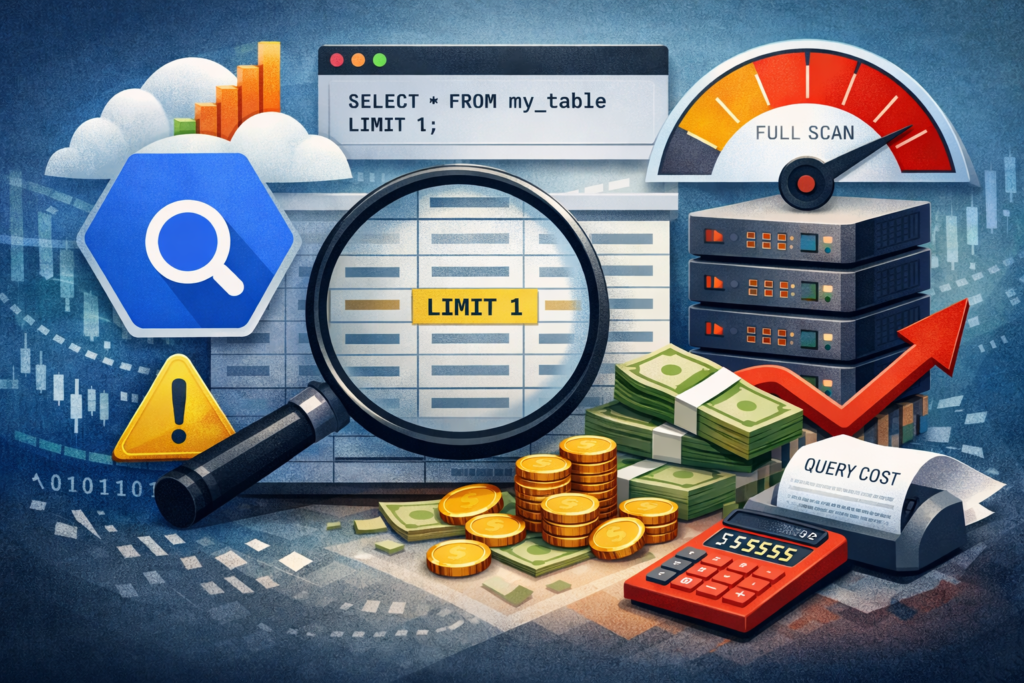
Every developer migrating from traditional relational databases to cloud data warehouses brings along a dangerous piece of muscle memory. When an engineer encounters an unfamiliar, massive table and wants to understand what the data looks like, their fingers automatically type the universal reflex: SELECT * FROM massive_table LIMIT 1.
In PostgreSQL or MySQL, this is an elegant, lightweight operation. The database opens the file, reads the very first row on the disk page, returns it, and instantly shuts down the process. The cost is zero, and the execution time is microscopic.
But Google BigQuery is not PostgreSQL. It is a distributed, columnar data behemoth designed to process petabytes of data across thousands of servers. When you run that exact same query in BigQuery under the On-Demand pricing model, you are not lightly tapping the database on the shoulder. You are setting off a financial landmine. That single keystroke can instantly scan terabytes of data, effectively costing your company $50 just to look at one row.
Welcome to the harsh reality of columnar storage. In this article, we will dismantle the architecture of BigQuery to understand why LIMIT does not limit your cloud bill, and how data engineers explore datasets without setting money on fire.
The Architecture of the Trap: Columnar vs. Row-Based Storage
To understand the financial damage, you must look under the hood at how BigQuery physically writes data to its hard drives.
Traditional relational databases use Row-Oriented Storage. If you have a table with 100 columns, all the data for “User A” is stored sequentially in one continuous block on the disk. When you ask for LIMIT 1, the disk head reads that single block, grabs all 100 columns for that user, and stops. It never touches the rest of the hard drive.
BigQuery utilizes a proprietary Column-Oriented Storage format called Capacitor. In this architecture, data is not stored row by row. Instead, every single column is stored in its own separate, highly compressed file across a distributed file system (Colossus). All the user_id values are in one file, all the purchase_amount values in another, and all the timestamps in a third.
This is brilliant for analytical aggregations (like SUM(purchase_amount)), because the database only reads the single file containing the numbers. But it turns SELECT * into an architectural nightmare.
The Physics of “SELECT *”
When you execute SELECT * FROM your_table LIMIT 1, you are telling the Dremel query engine to fetch every single column. Because the columns are stored separately, BigQuery must physically open every single column file in the table. Furthermore, because the data is highly compressed into blocks, BigQuery cannot just read one line. It has to read the entire first block of data for every column, decompress it in memory, stitch the row back together from the disparate files, return the first row to your screen, and then throw the rest of the processed data away.
BigQuery’s billing is strictly based on the volume of bytes read from the disk. The LIMIT clause is applied after the data is scanned, not before.
The Mathematical Reality
Imagine an e-commerce analytics table containing 5 years of historical events. The table has 150 columns (nested JSONs, user agents, UTM parameters) and weighs exactly 10 Terabytes. The current On-Demand price is roughly $6.25 per TiB scanned.
- You type
SELECT * FROM datalake.events LIMIT 1. - BigQuery opens all 150 column files.
- It scans the entire 10 TB of data to reconstruct the rows.
- It applies
LIMIT 1and shows you a single row on your screen. - Your Google Cloud billing account is instantly charged $62.50.
You just paid the price of a decent dinner at a European restaurant to look at a single row of JSON data.
The Engineering Solutions: How to Explore Data for Free
Professional ML and Data Engineers never use SELECT * to explore unknown tables. We use metadata APIs and specific UI features designed to bypass the query engine entirely.
Here is the technical toolkit for risk-free data exploration.
1. The Native UI Preview (Zero Cost)
If you are using the Google Cloud Console, never write a query to look at sample data. Simply click on the table name in the Explorer pane and navigate to the Preview tab. Under the hood, this button does not trigger the SQL Dremel engine. It calls the tabledata.list REST API, which fetches a raw, unbilled chunk of data directly from the storage layer. It gives you 100 rows instantly, and the cost is exactly $0.00.
2. The API Approach (For F# / Python Pipelines)
If you are writing a data pipeline (for example, building a strict validation layer in F#) and your code needs to sample a table dynamically, do not send a SQL query with a LIMIT clause.
Instead, use the BigQuery Storage API or the standard SDK method designed for reading table rows directly. In the Google Cloud API, calling client.list_rows(table, max_results=1) bypasses the query execution engine. It reads the raw storage blocks directly, avoiding the byte-scanning billing trap entirely.
3. Querying the Metadata (The INFORMATION_SCHEMA)
Usually, when developers type SELECT * LIMIT 1, they do not actually care about the specific data values. They are just trying to figure out what columns exist in the table and what their data types are.
You can get this exact information for free (up to 10MB of data processing, which is practically zero) by querying the system metadata.
The Lethal Way:
SQL
SELECT * FROM `project.dataset.massive_events_table` LIMIT 1;
-- Cost: $50+
The Engineering Way:
SQL
SELECT
    column_name,
    data_type,
    is_nullable
FROM `project.dataset.INFORMATION_SCHEMA.COLUMNS`
WHERE table_name = 'massive_events_table';
-- Cost: $0.00
This query returns a clean, structured list of every column, showing you if it is an INT64, a STRING, or a STRUCT. It provides more value than a random row of data, and it does not scan the actual table storage.
Implementing FinOps Guardrails
You cannot fix human nature, and eventually, a new analyst will join the team and type the forbidden keystroke. To protect the infrastructure, you must enforce strict boundary conditions at the project level.
Step 1: Kill “SELECT *” with Custom Quotas
In Google Cloud IAM & Admin, you can set a Maximum bytes billed per query limit. If your average legitimate analytical query scans 100 GB, you can set the hard limit to 500 GB. If an analyst accidentally runs SELECT * on a 10 TB table, BigQuery will calculate the estimated scan size, see that it exceeds the 500 GB quota, and immediately block the query before execution begins. The analyst gets an error message, and the company saves its budget.
Step 2: Utilize the Dry-Run Validator
Every professional MLOps and Data Engineering CI/CD pipeline must include a validation step. Before any SQL script is pushed to production or executed by an automated trigger, it must be sent to the BigQuery API with the dryRun=True parameter. The API will return the totalBytesProcessed metric. If a script intended for a simple daily delta update suddenly attempts to scan 5 Terabytes of data, the pipeline automatically fails the build, preventing a financial leak.
The Bottom Line
Google BigQuery is an industrial-grade analytical weapon. It is designed to chew through petabytes of data in seconds to train machine learning models and power complex business intelligence dashboards. But using SELECT * LIMIT 1 to explore a table is like using a laser-guided missile to open a locked door. It will work, but the collateral damage to your wallet will be immense.
Stop fighting the architecture. Use the Preview API, query the INFORMATION_SCHEMA, and enforce strict query limits. In the cloud, elegant engineering is not just about writing clean code; it is about protecting the profit margin.
Unoptimized database schemas and legacy PL/SQL scripts can quickly lead to slow queries and unpredictable Google Cloud billing. We evaluate your current data setup to eliminate performance bottlenecks, refactor complex pipelines, and prevent unexpected cloud costs. Schedule a BigQuery Migration & Architecture Audit to ensure your data infrastructure is scalable, secure, and cost-efficient.