
Dataform vs. dbt in 2026: The Cold Engineering
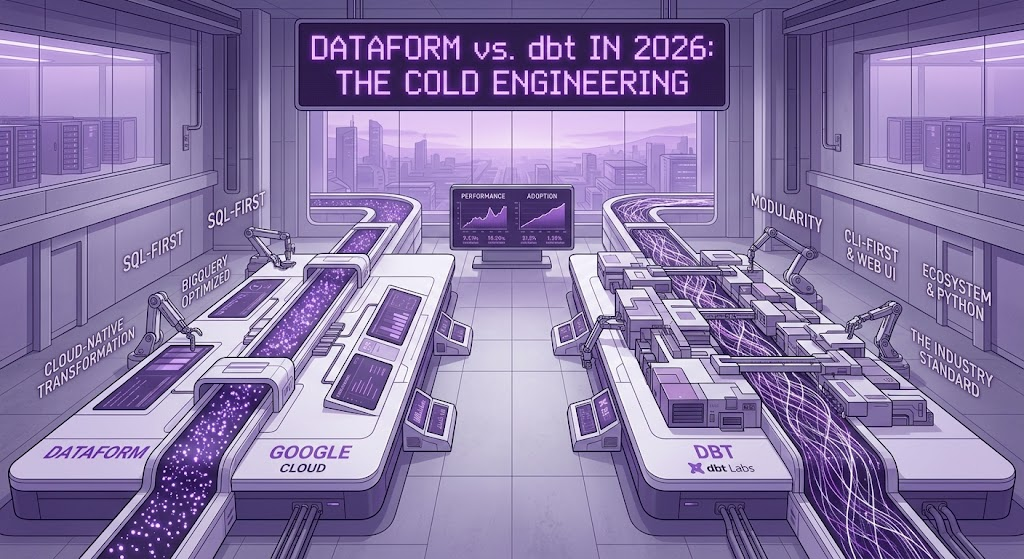
Introduction: The Hype Cycle vs. Production Reality
If you listen to modern data influencers, you would think choosing an ELT transformation framework is a matter of religious faith. The dbt ecosystem promises a cozy, cloud-agnostic paradise where data analysts write Jinja, test everything with YAML, and magically abstract away the underlying database. On the other hand, Google’s Dataform promises a slick, serverless, zero-overhead paradise embedded directly into Google Cloud Platform (GCP).
Let us skip the conference slides and vendor marketing. In real-world enterprise architectures, nobody cares about vendor manifestos. What matters are four concrete metrics: Total Cost of Ownership (TCO), Developer Experience (DX), Operational Maintenance Burden, and Pipeline Reliability.
This guide is an engineering audit comparing Dataform and dbt inside Google BigQuery as of 2026. We will disassemble both tools, calculate exact infrastructure invoices, analyze real code snippets, and debunk the myths that cost businesses hundreds of thousands of dollars in wasted cloud spend.
1. The TCO Illusion: Compute, Orchestration, and Hidden Infrastructure Costs
A common myth is that “both dbt Core and Dataform are free, open-source/built-in tools, so the cost is identical.” This is false. The software binary might be free, but the orchestration, compute execution, and CI/CD runtime are definitely not.
In BigQuery, transformation logic runs as standard SQL jobs. You pay BigQuery for compute (slots or bytes scanned) regardless of whether the SQL was generated by dbt, Dataform, or a drunk intern writing manual scripts. The real cost divergence happens in the control plane.
[Option A: Dataform Native]
Cloud Scheduler -> Cloud Workflows -> Dataform Execution API -> BigQuery
(Cost: ~$0.00 to $1.50/month control plane overhead)

[Option B: dbt Core + Serverless]
Cloud Scheduler -> Eventarc -> Cloud Run (Docker Container) -> BigQuery
(Cost: ~$25.00 to $60.00/month infrastructure & registry overhead)

[Option C: dbt Core + Airflow]
Cloud Composer 3 (GCP Managed Airflow) -> Kubernetes Pod Operator -> dbt -> BigQuery
(Cost: ~$300.00 to $600.00/month minimum cluster idle cost)
Real-World Case Study: E-Commerce Pipeline TCO Breakdown
Consider a mid-sized e-commerce company processing 120 GB of raw transactional & event data daily, running 85 transformation models twice per day (170 executions total).
Setup 1: Native Dataform (Serverless Architecture)
Dataform compilation and execution are fully managed by GCP.
- Compilation & DAG Assembly: Handled natively by GCP Dataform service (Free).
- Orchestration:
Cloud SchedulertriggeringCloud Workflowsvia REST API. - Monitoring: Native
Cloud Logging+Cloud Monitoringlog metrics. - Monthly Control Plane Cost: 170 workflow executions = $0.00 (well within GCP free tier limit of 5,000 internal steps/month).
- DevOps Overhead: 0 hours/month. No Docker images to patch, no OS dependencies to update.
Setup 2: Modern dbt Core (Serverless Docker on Cloud Run)
In 2026, running dbt Core via Docker on Cloud Run triggered by Cloud Scheduler is the standard lightweight alternative to heavy Airflow clusters.
- Container Hosting:
Artifact Registrystoring dbt Docker images (~5 GB storage + egress) = $1.20/month. - Compute (Cloud Run): 2 vCPU, 4 GB RAM container running for 18 minutes, 60 times/month = $18.50/month.
- CI/CD Pipeline: Cloud Build compiling Python dependencies (
dbt-bigquery,protobuf,grpcio) on every PR = $12.00/month. - Monthly Control Plane Cost: ~$31.70/month.
- DevOps Overhead: ~4-6 hours/month spent troubleshooting Python package conflicts, gRPC connection timeouts, and updating base Docker images.
Setup 3: Enterprise dbt Core (Cloud Composer 3 / Airflow)
If the team already uses Cloud Composer 3 (Managed Airflow) to orchestrate external tasks:
- Smallest Composer 3 Environment: 1 Environment Fee + 2 Environment Run Units (minimum cluster footprint) = ~$280.00/month.
- Monthly Control Plane Cost: ~$280.00/month (just to trigger SQL queries in BigQuery).
Fact Check: Dataform eliminates control plane costs completely. Running dbt Core on Cloud Run is cheap but incurs ongoing engineering maintenance (“Docker tax”). Running dbt Core on Cloud Composer for BigQuery-only workloads is financial negligence.
2. Macro Wars: SQLX + JavaScript vs. Jinja + Python
Both frameworks allow you to write dynamic SQL by injecting programmatic logic into standard queries. However, their execution philosophy differs fundamentally.
- dbt uses Jinja2: A text-templating language borrowed from Python web development (Flask/Django).
- Dataform uses SQLX + JavaScript: SQL extended with native ECMAScript blocks.
Code Case 1: Dynamic Data Quality Validation across Arbitrary Columns
Imagine we need to audit a table where we must dynamically generate COUNTIF(column IS NULL) for every column matching a specific naming pattern (e.g., all foreign key columns ending with _id).
The dbt Way (Jinja + SQL):
SQL
-- models/marts/dq_audit_orders.sql
{% set columns_to_check = adapter.get_columns_in_relation(ref('stg_orders')) %}

SELECT
  CURRENT_TIMESTAMP() AS execution_time,
  'stg_orders' AS target_table,
  {% for col in columns_to_check %}
    {% if col.name.endswith('_id') %}
      COUNTIF({{ col.name }} IS NULL) AS missing_{{ col.name }}{% if not loop.last %},{% endif %}
    {% endif %}
  {% endfor %}
FROM {{ ref('stg_orders') }}
The Engineering Problem with Jinja:
- Macro Pollution: If you need helper functions, you must declare them in separate
.sqlfiles inside amacros/directory. - Whitespace Hell: Managing indentation and trailing commas (
{% if not loop.last %},{% endif %}) leads to unreadable Jinja spaghetti. - Compilation Latency: Jinja templates require dbt to compile the manifest via Python before execution, which slows down local development loops on large projects.
The Dataform Way (SQLX + Embedded JavaScript):
SQL
-- definitions/marts/dq_audit_orders.sqlx
config {
  type: "table",
  schema: "analytics_dq"
}

js {
  const fkColumns = ["user_id", "merchant_id", "payment_method_id", "shipping_address_id"];

  function generateNullChecks(cols) {
    return cols.map(col => `COUNTIF(${col} IS NULL) AS missing_${col}`).join(",\n  ");
  }
}

SELECT
  CURRENT_TIMESTAMP() AS execution_time,
  'stg_orders' AS target_table,
  ${generateNullChecks(fkColumns)}
FROM ${ref("stg_orders")}
The Engineering Advantage of SQLX:
- Native JS Runtime: You have full access to standard JavaScript ES6 methods (
.map(),.filter(),.reduce(),.join()). - Clean Code Isolation: You can declare local helper functions right inside the
js {}block of the SQLX file without polluting a global macro library. - Global Reusability: If you want global macros, you put standard
.jsfiles into theincludes/directory and call them like standard modules (includes.dq_helpers.generateNullChecks(...)).
Code Case 2: Unnesting Dynamic JSON Payloads in BigQuery
BigQuery heavily uses nested and repeated structures (STRUCT, ARRAY). Unnesting JSON payloads or array logs dynamically is a daily task in modern analytics.
Dataform Reusable JavaScript Module (includes/json_utils.js):
JavaScript
// includes/json_utils.js
function buildUnnestQuery(tableName, jsonColumn, keys) {
  const selectClause = keys.map(
    key => `JSON_VALUE(${jsonColumn}, '$.${key}') AS ${key}`
  ).join(",\n  ");

  return `
    SELECT
      id,
      event_timestamp,
      ${selectClause}
    FROM \`${tableName}\`
  `;
}

module.exports = { buildUnnestQuery };
Calling it in Dataform (definitions/parsed_events.sqlx):
SQL
config { type: "table" }

${json_utils.buildUnnestQuery(
  "raw_events.user_clicks",
  "payload_json",
  ["device_type", "browser", "ip_address", "session_token"]
)}
Result: The SQL emitted to BigQuery is crisp, perfectly formatted, and fully verifiable before execution directly inside the GCP Console UI.
3. The CI/CD Reality, Environments, and The “Vendor Lock-in” Fallacy
When architects defend their choice of dbt over Dataform in a pure GCP environment, the argument usually hinges on vendor lock-in. The theory is: “If we use dbt Core, we can easily migrate our analytics warehouse from BigQuery to Snowflake or Databricks next year because dbt is cloud-agnostic.”
From an engineering perspective, this is a dangerous delusion.
The Vendor Lock-in Fallacy Debunked
dbt does not abstract SQL syntax. It merely handles orchestration (ref(), source()) and compilation. If you build a complex transformation pipeline in BigQuery, you are inextricably tied to BigQuery’s proprietary analytical functions.
Case Study: Migrating a Time-Series Pipeline
Assume your pipeline calculates rolling user session windows in BigQuery:
SQL
-- BigQuery native logic
SELECT
  user_id,
  ARRAY_AGG(STRUCT(event_name, event_timestamp) IGNORE NULLS ORDER BY event_timestamp DESC LIMIT 5) as last_5_events,
  DATETIME_DIFF(CURRENT_DATETIME(), MAX(event_timestamp), MINUTE) as minutes_since_last_action
FROM ${ref("raw_events")}
GROUP BY 1
If the CFO orders a migration to Snowflake, dbt will not magically translate ARRAY_AGG(STRUCT(...)) into Snowflake’s ARRAY_AGG(OBJECT_CONSTRUCT(...)). It will not translate DATETIME_DIFF into DATEDIFF.
You will manually rewrite 100% of your SQL syntax regardless of whether you used Dataform or dbt. Vendor lock-in happens at the SQL dialect level, not the orchestration layer. Choosing dbt solely as an insurance policy against GCP vendor lock-in is paying an ongoing DevOps tax for a migration that will require a total SQL rewrite anyway.
CI/CD and Environment Management: The Hidden Friction
Both tools handle isolated environments (Dev, Staging, Prod), but their operational friction differs significantly.
Dataform’s Native CI/CD Experience
Dataform integrates seamlessly with GitHub/GitLab but executes the CI/CD compilation entirely on Google’s backend.
- Workspaces: Every data engineer gets an isolated “Workspace” natively in the GCP UI. When Engineer A modifies
sales_mart.sqlx, they execute it against their isolated dev dataset directly in the browser. No local setup required. - Release Configurations: Moving from Dev to Prod is handled natively via “Release Configurations.” You map a Git branch (e.g.,
main) to a GCP dataset (e.g.,analytics_prod). - The Verdict: Zero-friction setup. You can onboard a new Data Analyst to commit production-ready code in 15 minutes because they do not need to install Python, Docker, or
dbt-coreon their local machine.
The dbt Developer Friction
Setting up a robust local development environment for dbt Core is a notorious bottleneck.
- Local Dependencies: The engineer must install Python, configure virtual environments (
venv), installdbt-bigquery, manageprofiles.yml(which contains plain-text credentials or complex OAuth setups), and handle mismatched Python dependency conflicts (protobufversion errors are notoriously frequent). - CI/CD Pipeline Building: You must write custom GitHub Actions or GitLab CI YAML to pull the dbt Docker image, authenticate to GCP via Workload Identity Federation, compile the dbt manifest, and execute
dbt run. - The Verdict: Excellent flexibility, but demands a dedicated Data Engineer with DevOps skills to maintain the local and CI/CD development loops.
4. The Autodocumentation Myth and Data Discovery
Data democratization relies on documentation. Both tools claim to solve this by auto-generating documentation from code.
dbt Docs: The Heavyweight Standard
dbt generates a static HTML site (dbt docs generate) via a Python web server.
- The Reality: The UI is comprehensive, showing interactive DAGs, column descriptions, and tests.
- The Catch: Because
dbt docsrequires a web server to host the static files, teams often struggle to deploy it securely. They end up hosting it on Cloud Storage behind Identity-Aware Proxy (IAP) or inside an internal VPN. Consequently, business users (Product Managers, Marketers) rarely look at it because the access barrier is too high.
Dataform Docs: Pragmatic but Limited
Dataform lacks a standalone HTML documentation site. Instead, it pushes metadata directly into BigQuery Data Catalog / Dataplex.
- The Reality: If you add a
description: "Revenue in USD"to a column in your.sqlxfile, Dataform attaches that string directly to the BigQuery table schema natively. - The Catch: You do not get a pretty interactive DAG viewer outside of the GCP Console. However, since the metadata lives in BigQuery, connected BI tools (like Looker or Tableau) natively pick up these descriptions. Business users see the documentation directly in their reports without opening a separate portal.
5. View from the Trenches: Engineer Testimonials
To provide a balanced view, here are composite testimonials reflecting the raw sentiment from senior data engineers in 2026 handling large-scale GCP deployments:
The Pro-Dataform Sentiment (The Pragmatist):
“I fired my Airflow cluster last year. We migrated 120 models from dbt to Dataform. The migration took two weeks (mostly translating Jinja to JS). Our GCP bill dropped by $450/month in idle compute, and I no longer spend Tuesday mornings debugging why a dbt Docker container timed out connecting to BigQuery’s gRPC API. If you are 100% in GCP, ignoring Dataform is just masochism.” — Lead Data Engineer, Series-B Fintech.
The Pro-dbt Sentiment (The Ecosystem Architect):
“Yes, managing dbt Core requires DevOps, but Dataform is an isolated island. We use dbt’s ecosystem extensively:
dbt-expectationsfor deep data quality checks, and Elementary for anomaly detection alerts in Slack. Dataform forces us to write custom JavaScript for every data quality rule. Plus, writing macros in JavaScript feels unnatural for data analysts who breathe SQL and Python.” — Analytics Engineer, Enterprise E-commerce.
6. The Decision Framework: When to Build, When to Buy
An architectural battle should never end with a humiliating knockout of one tool over the other. Senior engineering requires understanding context. If an architect insists on using a specific framework merely because it looks good on their resume or because “everyone uses it,” they are committing engineering malpractice.
Here is the pragmatic, fact-based matrix for selecting between Dataform and dbt in 2026.
When to Choose Dataform (The “GCP Purist” Path)
You should adopt Dataform exclusively if you meet the following criteria:
- GCP Exclusivity: Your entire analytical ecosystem lives inside Google Cloud. BigQuery is your only destination, and you rely on native GCP services (Cloud Functions, Pub/Sub, Vertex AI).
- Lean Engineering Teams: You do not have a dedicated DevOps or Site Reliability Engineering (SRE) team to babysit Airflow clusters or manage CI/CD Docker pipelines. You need your analysts writing SQL, not debugging Python virtual environments.
- Strict Cost Control (FinOps): You operate under a rigid budget. Minimizing idle infrastructure compute is a top priority, making Dataform’s serverless, zero-overhead execution a financial necessity.
- JavaScript Comfort: Your analytics engineers are comfortable writing native JavaScript (ES6) for complex loops and dynamic SQL generation, preferring its explicit logic over Jinja templating.
The Bottom Line: Dataform is a surgical tool. It does exactly one thing—orchestrating BigQuery SQL—with unmatched efficiency, zero maintenance, and absolute integration into the Google Cloud security perimeter.
When to Choose dbt (The “Ecosystem” Path)
You should absorb the operational cost of dbt Core (or pay for dbt Cloud) if your architecture dictates it:
- Multi-Cloud or Hybrid Architecture: You are orchestrating pipelines across Snowflake on AWS, Redshift, and BigQuery simultaneously.
- Existing Heavy Orchestration: You already run a highly available, monitored instance of Apache Airflow (Cloud Composer) or Dagster for complex data ingestion (e.g., triggering Fivetran, running custom Python ML models, and moving data). The overhead of adding dbt to an existing cluster is negligible.
- Dependency on the dbt Ecosystem: Your data quality requirements demand pre-built, community-driven packages. If you rely heavily on
dbt-expectationsfor statistical anomaly detection, or tools like Elementary for automated Slack alerting and observability, Dataform will feel barren. - The Analytics Engineer Persona: Your team consists primarily of analysts who know SQL and Python, but have zero background in web development and actively despise JavaScript. Jinja, despite its formatting quirks, is the industry standard they know.
The Bottom Line: dbt is an industrial factory. It is heavy, requires maintenance, and costs money to keep the lights on, but it provides access to the largest global supply chain of pre-built analytics modules and integrations.
Final Verdict: The Pragmatic Architect’s Mandate
The debate between Dataform and dbt is not a debate about which tool is objectively superior. It is a debate about allocation of engineering resources.
If you choose dbt in a pure GCP environment, you are explicitly deciding to allocate human hours and cloud budget toward maintaining an orchestration layer that Google offers for free. In some enterprise scenarios, the vast dbt community ecosystem justifies that tax. But for the vast majority of mid-market businesses and agile data teams, paying the “Docker tax” just to run SELECT statements in BigQuery is an architectural error.
A truly senior data engineer in 2026 must be bilingual. You must master the deep integration and serverless elegance of Dataform for native GCP builds, while retaining the ability to deploy dbt architecture when multi-cloud complexity or ecosystem demands require heavy lifting.
Stop treating data engineering frameworks as religions. Treat them as tools in a belt, calculate your Total Cost of Ownership, and architect for margin, not for marketing.
7. The Practical Battlefield: Incremental Builds and Data Quality
Architectural debates and Total Cost of Ownership (TCO) calculations are important for CTOs, but the data engineers writing code daily care about two specific things: How do I update a 10-Terabyte table without bankrupting the company? and How do I catch bad data before the dashboard breaks?
This is where the theoretical differences between Dataform (SQLX) and dbt (Jinja) become operational reality.
7.1 Incremental Strategies: Taming BigQuery Billing
In modern BigQuery architectures, rebuilding large fact tables (table materialization) daily is financial suicide. You must use incremental materializations (only processing new or updated records). Both tools support this, but their syntactical approaches differ significantly.
The Objective: Update a massive fact_transactions table partitioned by transaction_date. We only want to scan and insert data for the last 3 days to handle late-arriving events.
The dbt Approach: YAML Configurations and Jinja Blocks
dbt handles incremental logic by wrapping the SQL in a Jinja {% if is_incremental() %} block and configuring the strategy (usually insert_overwrite for BigQuery partitions) in the model config or dbt_project.yml.
SQL
-- models/marts/fact_transactions.sql
{{ config(
    materialized='incremental',
    partition_by={
      "field": "transaction_date",
      "data_type": "date",
      "granularity": "day"
    },
    incremental_strategy='insert_overwrite',
    partitions=dbt_utils.get_partitions_by_datetime(...) -- Often requires extra packages
) }}

SELECT
  transaction_id,
  user_id,
  transaction_date,
  amount
FROM {{ ref('stg_transactions') }}

{% if is_incremental() %}
  -- This block only runs on subsequent executions, not the first build
  WHERE transaction_date >= DATE_SUB(CURRENT_DATE(), INTERVAL 3 DAY)
{% endif %}
- The Verdict on dbt: It is powerful but requires a solid understanding of how dbt translates
insert_overwriteunder the hood. Managing dynamic partition replacement often forces teams to install external packages likedbt-utilsor write custom macros to handle complex date ranges.
The Dataform Approach: Native SQLX Blocks
Dataform approaches incremental logic with explicit simplicity. You define the table type as incremental, specify the partition key, and use the when(incremental(), ...) block.
SQL
-- definitions/marts/fact_transactions.sqlx
config {
  type: "incremental",
  schema: "analytics_mart",
  bigquery: {
    partitionBy: "transaction_date",
    updatePartitionFilter:
        "transaction_date >= DATE_SUB(CURRENT_DATE(), INTERVAL 3 DAY)"
  }
}

SELECT
  transaction_id,
  user_id,
  transaction_date,
  amount
FROM ${ref("stg_transactions")}

${when(incremental(), `WHERE transaction_date >= DATE_SUB(CURRENT_DATE(), INTERVAL 3 DAY)`)}
- The Verdict on Dataform: The syntax is drastically cleaner. The
updatePartitionFilterexplicitly tells BigQuery exactly which partitions to drop and replace, preventing accidental full-table scans. It feels less like “templating magic” and more like writing strict BigQuery DDL.
7.2 Data Quality (Assertions): Catching the Bugs
A data pipeline without tests is just a random number generator. Assertions (tests) are non-negotiable.
The dbt Approach: The YAML Sprawl
dbt separates SQL logic from testing logic. Tests are defined in separate schema.yml files.
YAML
-- models/marts/schema.yml
version: 2
models:
  - name: fact_transactions
    columns:
      - name: transaction_id
        tests:
          - unique
          - not_null
      - name: amount
        tests:
          - accepted_values:
              values: ['> 0'] # Custom tests require additional macros
- The Reality: While separating logic from tests is structurally clean, in large projects, these YAML files grow to thousands of lines. Engineers frequently forget to update the YAML when they change the SQL model because they are modifying two different files in two different directories. However, the pre-built tests (unique, not_null) are universally understood.
The Dataform Approach: Inline Assertions
Dataform keeps the tests directly inside the .sqlx file, explicitly tying the business logic to the quality constraints.
SQL
-- definitions/marts/fact_transactions.sqlx
config {
  type: "table",
  assertions: {
    uniqueKey: ["transaction_id"],
    nonNull: ["transaction_id", "user_id"],
    rowConditions: [
      "amount > 0"
    ]
  }
}

SELECT ...
- The Reality: The DX (Developer Experience) here is vastly superior for the engineer writing the code. You see the tests exactly where you write the SQL. The
rowConditionsarray allows you to inject arbitrary SQL checks (amount > 0) without needing to write a separate custom macro like you would in dbt.
Section Summary
When it comes to the daily grind of writing code, dbt relies heavily on YAML configuration files and Jinja logic, which can lead to bloated repositories. Dataform’s SQLX keeps configurations, assertions, and SQL closely knit in a single file, resulting in a tighter, more readable codebase specifically optimized for BigQuery’s unique features like partitioning and clustering.